Overview #
Ang guide na ito ay para matulungan kang ma-diagnose kung bakit hindi gumagana ng maayos ang iyong coinslot gamit ang Troubleshooting Page sa app.
Step 1: Access the Troubleshooting Page #
- Buksan ang iyong app account:
https://app.sharewifi.cc - Pumunta sa Coin Machine Management
- I-click ang 3 dots sa lower right corner ng iyong coinslot
- Piliin ang Troubleshoot
Step 2: Check Coin Sampling Data #
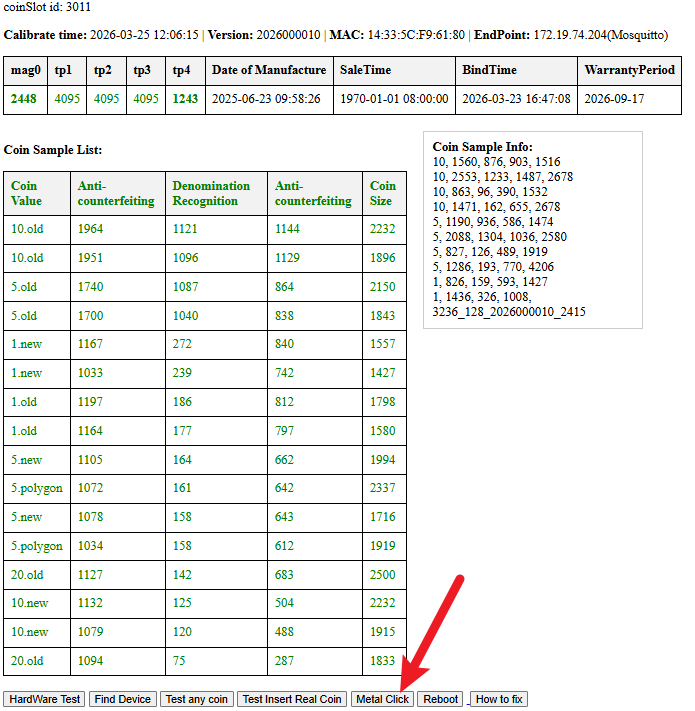
Sa Troubleshoot page, makikita mo ang coin sampling data.
👉 I-check kung may value ang mga sumusunod na sensors:
- Mag0
- TP1
- TP2
- TP3
- TP4
Step 3: Identify the Issue #
Case 1: Walang value ang Mag0 #
- Status: ❌ Defective
- Action: For replacement na ang coinslot
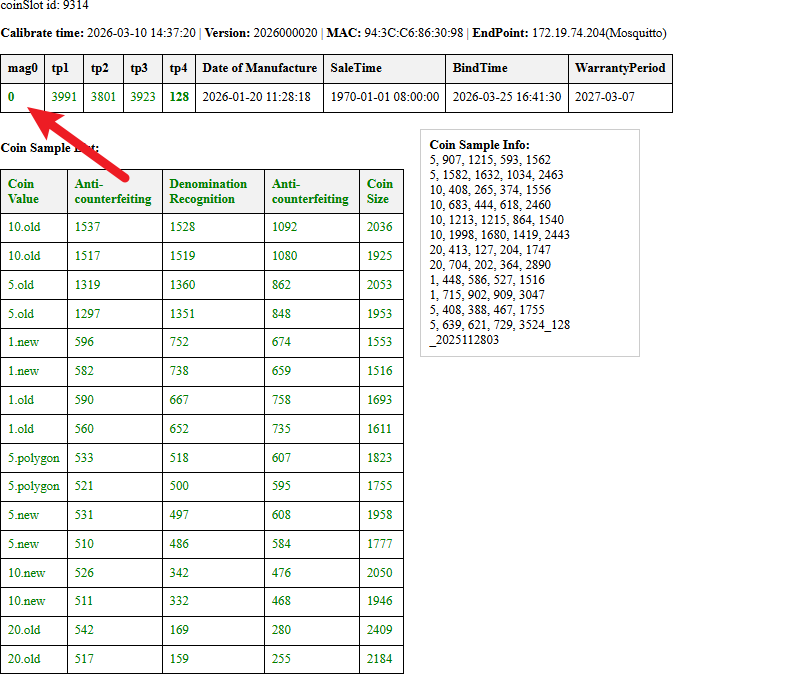
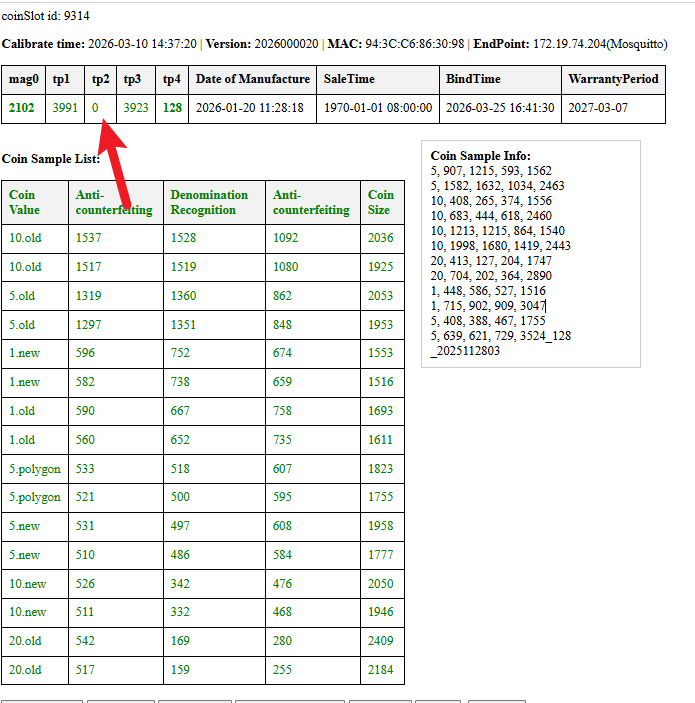
Case 2: May value ang Mag0 pero may TP sensor na walang value #
- Status: ⚠️ Dirty sensor
- Action: Kailangan linisin ang coinslot
How to clean your Coinslot Interior
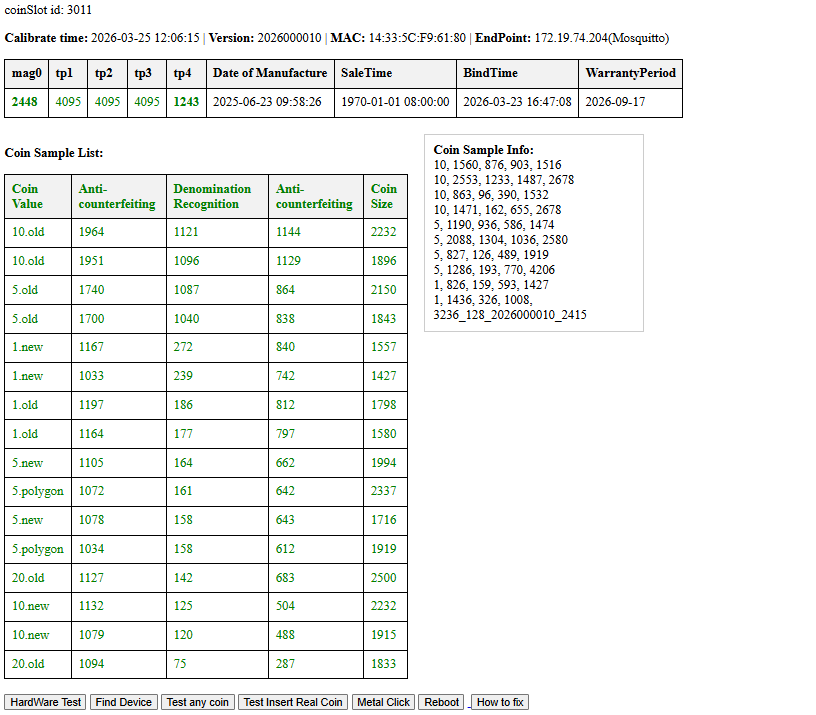
Case 3: Kumpleto lahat ng sensor values #
- Status: ✅ Sensors are working
- Action: Proceed to testing
Step 4: Test Coin Acceptance #
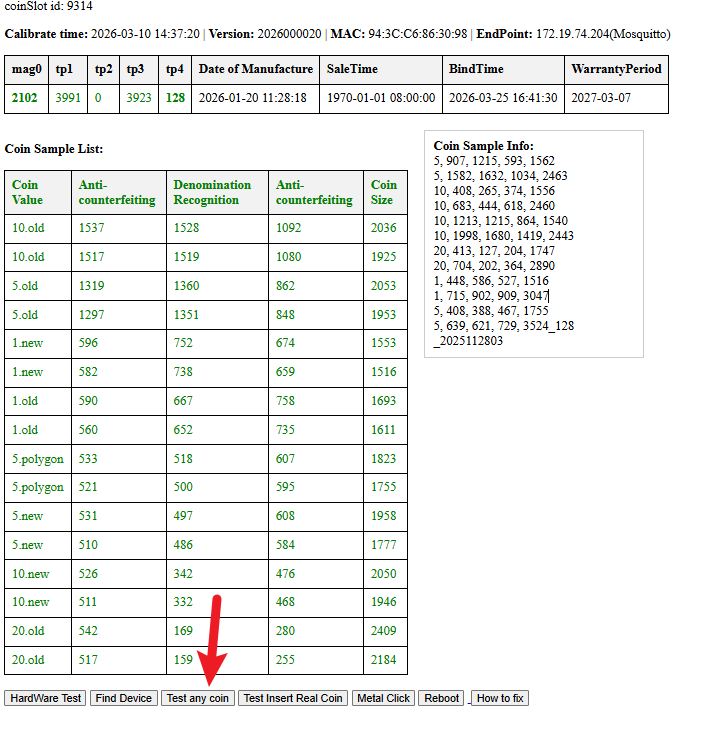
- I-click ang “Test Any Coin”
- Mag insert ng kahit anong barya
Result: #
- ✅ Tumanggap ng coin → Working ang coinslot
- ❌ Hindi tumanggap → Possible solenoid issue
Step 5: Check Solenoid (Metal Click Test) #
- I-click ang “Metal Click” button
Result: #
- ✅ May maririnig na clicking sound
→ Working ang solenoid - ❌ Walang sound
→ Possible stuck or sira ang solenoid
→ Mag open agad ng support ticket at message sa page
Step 6: Restart and Recheck #
Kung tumatanggap ng coin:
- I-restart ang coinslot
- I-check ulit ang coin sampling data
Step 7: Verify Complete Coin Data #
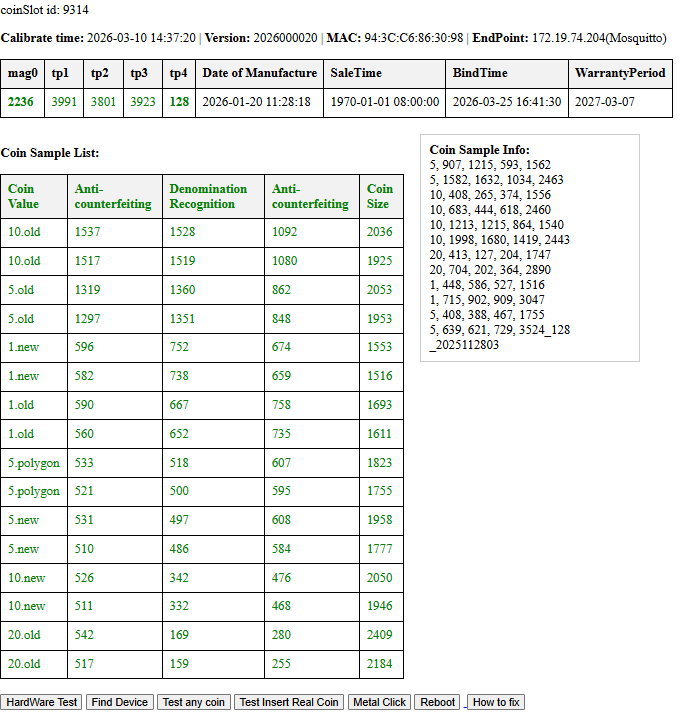
Dapat kumpleto ang following values:
- 1old
- 1new
- 5old
- 5new
- 5polygon
- 10old
- 10new
- 20new
Important Notes #
Kapag kulang ang coin sampling data → possible calibration or detection issue
Kung confirmed hardware issue → proceed with replacement process
Coin Calibration Tutorial #
- Buksan ang portal account
- Pumunta sa Coin Machine Management
- I-click ang 3 dots sa lower right ng iyong coinslot
- Piliin ang Coin Calibration
- I-click ang Delete All
- Maghanda ng mga coins para sa calibration
Recommended: bawat coin value ay may tig-5 piraso
(example. 1 old = 5 pcs, 1 new = 5 pcs, atbp.) - Simulan sa 1 new
• I-click ang 1 new icon
• Mag-insert ng parehong coin value ng 31 beses o hanggang sa tumunog muli ang coinslot - Ulitin ito para sa lahat ng coin values
- Kapag tapos na, i-restart ang coinbox
- Tapos na!


